My Contribution
- Built the rendering pipeline in C++ / OpenGL / GLSL
- Implemented custom material and sports-surface shaders
- Implemented shadow mapping and PCF filtering
- Built a multi-pass framebuffer and post-process pipeline
A lightweight custom renderer built for sports scene mockups and as a practical environment for developing lower-level real-time graphics skills outside of a game engine.
My Contribution
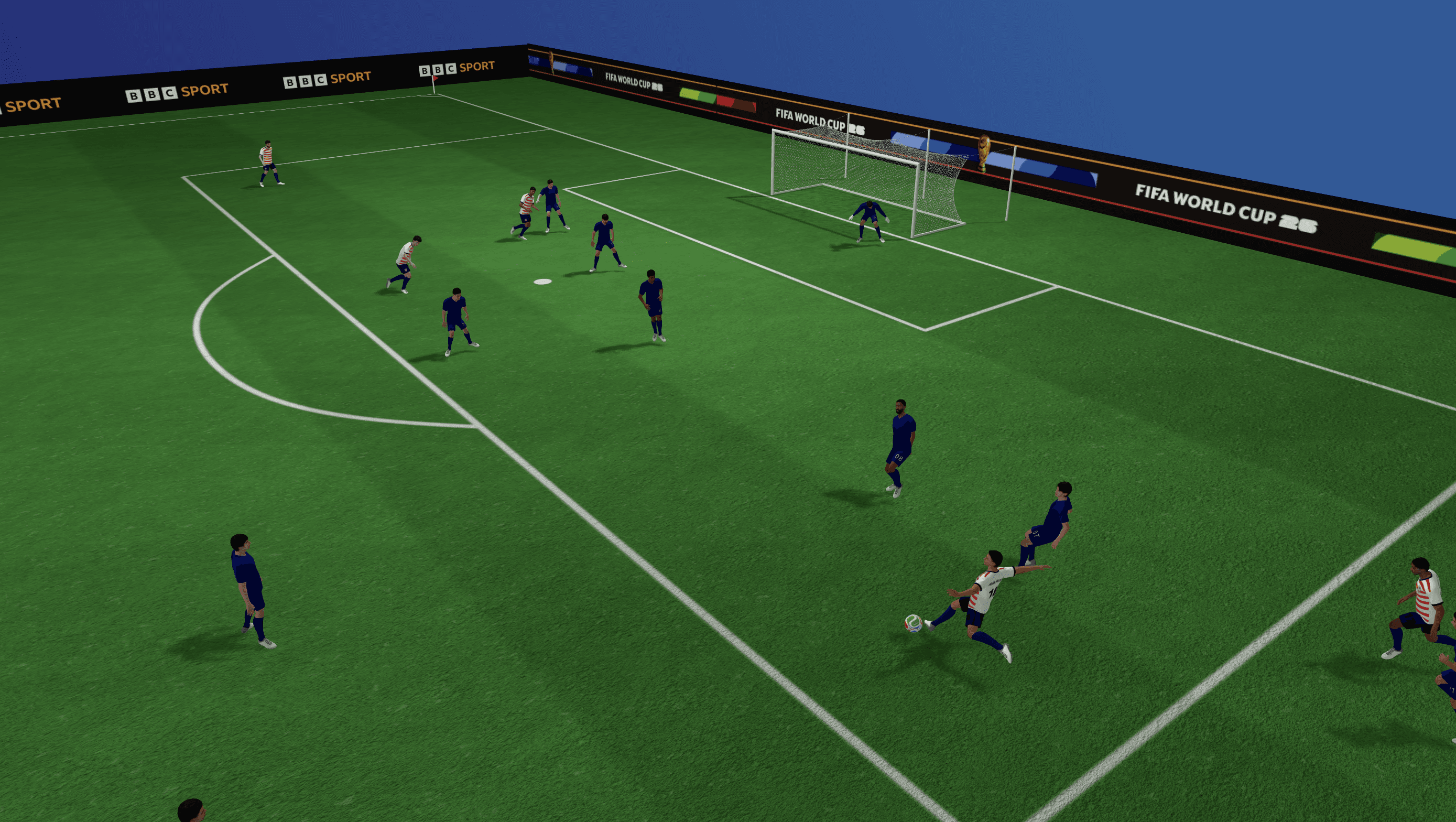
Creating marketing mockups directly from our Unity applications or DCCs was unnecessarily difficult for graphic artists. The applications contained far more systems than were needed to simply stage players, customize a sports scene, and export an image.
I built a smaller renderer around that specific workflow. Rather than trying to become a general-purpose engine, it stays intentionally focused on the requirements of sports scene rendering.
The renderer handles the complete path from imported geometry to the final image: GPU mesh buffers, materials, GLSL shading, shadow mapping, render targets, post-processing, and export.
That narrower scope also made it a practical environment for working directly with lower-level graphics concepts that are normally abstracted by Unity.
The intentionally small architecture makes it possible to trace a scene from CPU-side mesh data all the way to the resulting fragment.
Mesh to frame path
The main material shader implements the surface features required by the sports scenes rather than attempting to reproduce a complete engine material system.
Building this directly in GLSL made the relationship between mesh attributes, interpolated vertex data, texture samples, and final lighting explicit rather than hidden behind an engine material abstraction.
A useful part of this renderer supports changing the player outfits at runtime. Instead of treating outfits as fully fixed textures, I built a small pipeline that can generate reusable player outfit assets from templates, team colors, and text overlays.
To match the mockups' quick-change needs, including different teams, player names, and numbers, repainting textures outside the renderer would slow down iteration. Keeping it inside the tool makes scene setup faster and keeps the export workflow more consistent.
Current workflow:
// Allocate an RGBA bitmap that will become the shirt overlay texture.
if (!renderIntoBitmap(shirt.width, shirt.height, output, [&](CGContextRef) {})) {
    errorMessage = "Failed to allocate shirt text overlay texture.";
    return false;
}

// Draw the player name into the bitmap at the template-defined position.
drawPlacedTextIntoBitmap(
    output.width,
    output.height,
    output.pixels,
    customization.displayName,
    scaleTextPlacement(activeNamePlacement, scaleX, scaleY),
    customization.textColor
);

// Draw the player number into the same bitmap.
// The resulting pixel buffer can then be used as a texture in the renderer.
drawPlacedTextIntoBitmap(
    output.width,
    output.height,
    output.pixels,
    customization.displayNumber,
    scaleTextPlacement(activeNumberPlacement, scaleX, scaleY),
    customization.textColor
);Dynamic player shadows are rendered through a dedicated depth pass.
The implementation helped expose several practical shadow-mapping problems directly:
Shadow mapping pipeline
A simple 3x3 PCF kernel softens the raw shadow-map result by sampling neighboring depth values.
vec2 texelSize = 1.0 / vec2(textureSize(shadowMap, 0));

for (int x = -1; x <= 1; ++x)
{
    for (int y = -1; y <= 1; ++y)
    {
        float depth = texture(
            shadowMap,
            projCoords.xy + vec2(x, y) * texelSize
        ).r;

        shadow += currentDepth - bias > depth ? 1.0 : 0.0;
    }
}

shadow /= 9.0;The final image is produced through multiple framebuffer stages rather than rendering directly to the application window.
Framebuffer and post-process path
The export pipeline uses the same rendered scene data while allowing presentation-specific processing to happen as a final GPU pass.
vec4 color = texture(sceneTexture, texCoord);

vec3 corrected = color.rgb * exp2(exposure);

float luminance =
    dot(corrected, vec3(0.2126, 0.7152, 0.0722));

corrected = mix(
    vec3(luminance),
    corrected,
    saturation
);

corrected = (corrected - 0.5) * contrast + 0.5;